
Battle Fortress Terra: online with friends, a friendlier garage, and what's next
Five updates in two weeks. You can now play online with friends from one button, chat in matches, run the game on a laptop with the 1 GB Lite build, and learn it with a reworked tutorial and garage tour. Here's what that means when you sit down to play, and what's being tested for the next update.
TL;DR
- Out now: VS 1.6, free from the Downloads page or the Double Edge Gaming launcher.
- Play online with friends. Press Multiplayer on the main menu and the game finds a match of your version, or starts a server for you in about a minute. There’s text chat too (press Enter).
- Runs on more PCs. The Lite build is about a 1 GB download and starts on a new Laptop graphics setting. Frame rates are up on every setting.
- Easier to learn. A reworked tutorial that waits for you, a guided garage tour, and a LAUNCH button straight from the garage.
- Fairer fights. No more one-shots, consumables on keys 8, 9 and 0, two ability slots, and ammunition that now has weight.
- Update before you play online. VS 1.6 can’t join players on VS 1.5 or older.
- Coming next (in testing): turn your fortress in the garage with the mouse, choose a game mode for Multiplayer, colour-coded target locks, spectate your team after you’re knocked out, and a Phase Crystals market using in-game currency only.
The last devlog went out on 6 November. Since then, five builds have gone out: VS 1.2, 1.3, 1.4, 1.5 and 1.6. That’s a lot of version numbers to keep up with, so this post skips the dev talk and walks through what’s different when you actually play. If you tried an early build and bounced off, this is a good time to come back.
The updates at a glance
- VS 1.2 (8 Nov): four arenas, the tutorial, consumables, two ability slots and tougher fights. It was also the first smaller, faster Shipping build.
- VS 1.3 (12 Nov): a reworked tutorial, the garage tour, a redesigned fortress panel and a clearer HUD.
- VS 1.4 (15 Nov): the Multiplayer button, the 1 GB Lite build and a frame-rate pass.
- VS 1.5 and 1.5.1 (15 Nov): chat, smoother online movement and clearer join errors. 1.5.1 fixed a camera bug when joining.
- VS 1.6 (18 Nov): ammo weight, weapon slots sized by tier, better slope climbing and one end-of-battle popup.
Playing online with friends
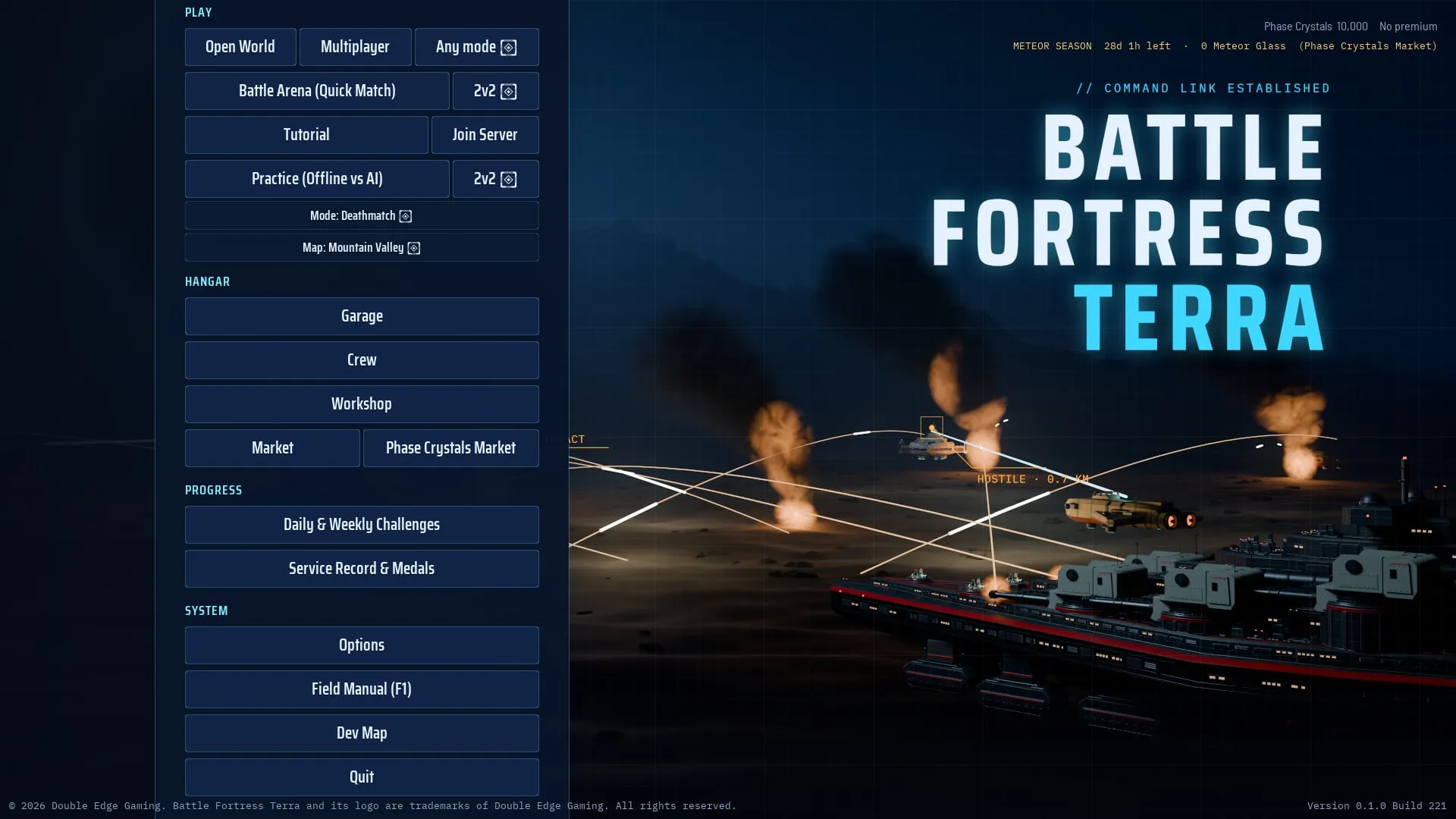
This is the big one. On the main menu there’s now a Multiplayer button. Press it once:
- If a match of your version is already running and has room, you join it.
- If not, the game starts an online server for you. That takes about a minute, and then you’re in. When your friends press Multiplayer too, they join the same match while it has room.
- The button glows while a game is on, so you can tell at a glance whether anyone’s playing.
If a join fails, the game now tells you why (the server is full, your game needs an update, or the server didn’t answer) and tries again by itself. If you need an update, it offers to open the launcher for you.
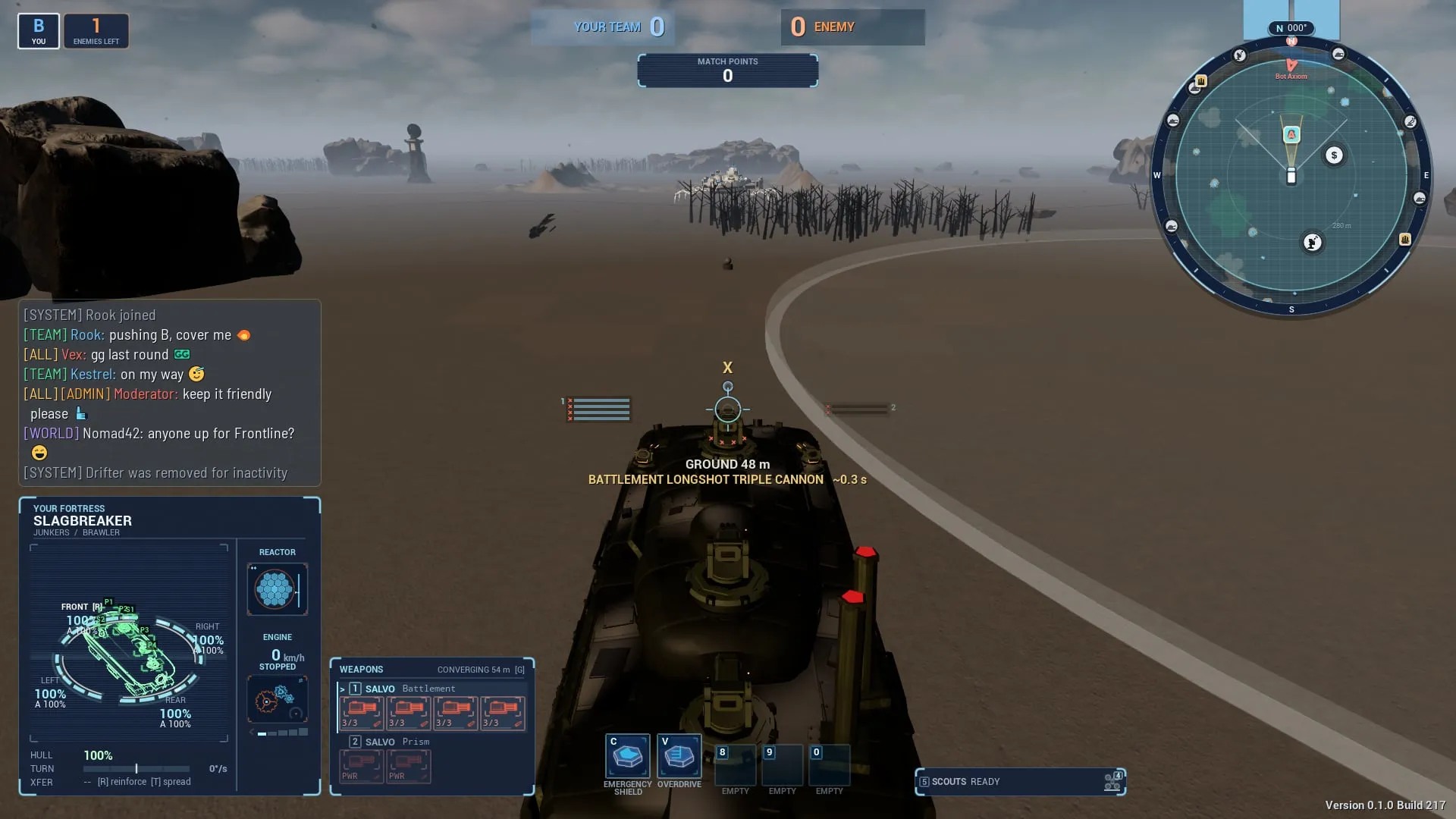
Chat. Press Enter to talk. You get Team and All channels plus a World channel that reaches every game running. There are 14 emoji on the O key (or type codes like :name:), and F2 shows the chat history.
Online, everything also moves more smoothly. Other fortresses, turrets, drones and shells now glide between server updates instead of stepping.
A few things to know:
- Online matches are Deathmatch for now. Base Assault online is next.
- If you sit idle for 2 minutes in an online match, you’re returned to the menu. A warning shows 30 seconds before that happens.
- Only one server runs at a time for now. If it says all servers are in use, try again in a few minutes.
- Everyone needs the same version. VS 1.6 can’t play with 1.5 or 1.5.1, so update first.
Runs on more machines
The website and launcher now offer the Lite build. It’s about a 1 GB download and starts on the new Laptop graphics setting. If your PC can take more, raise the quality in Options > Graphics. There’s also a Clouds option you can turn off for extra frames.
Every setting got faster in VS 1.4, and the stutter in your first match is mostly gone. If an early build ran badly for you, give this one a try.
Learning the ropes
- A reworked tutorial. Every message now stays up long enough to read, and each step waits for you to finish. It covers slowing to STOP, holding a turn, reinforcing a shield and evening it back out, giving your drones orders, and reading the large map. Finishing it earns a medal.
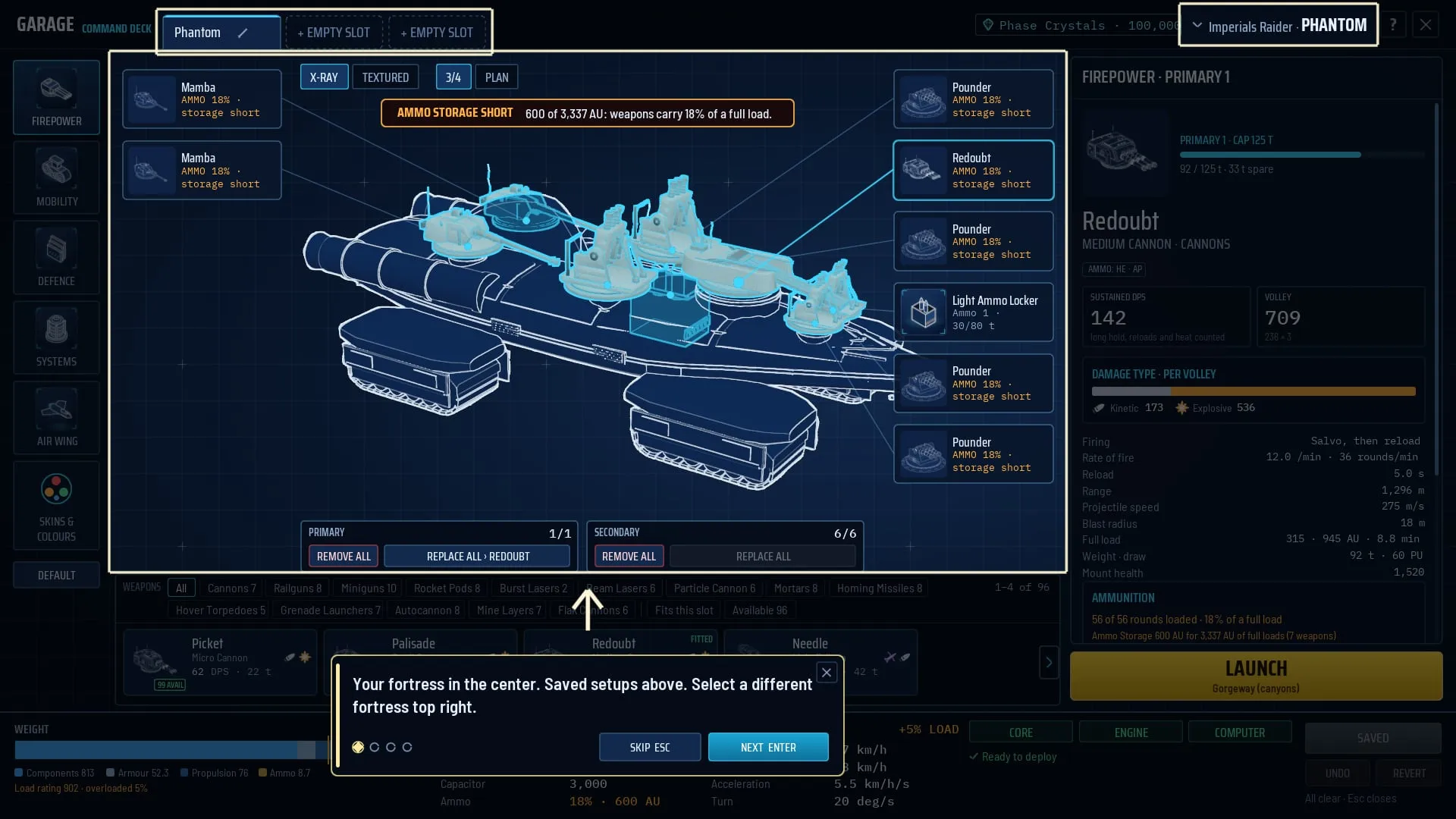
- A garage tour. The first time you open the garage, it offers a short four-step walk round the screen. Say no and it won’t ask again. Press F1 or ? in the garage to replay it whenever you like.
- LAUNCH from the garage. The big yellow LAUNCH button starts your next battle straight from the garage. You don’t have to go back to the menu.
In battle: what feels different
- No more one-shots. Armour now reduces every hit, and Brawlers and Siege fortresses are sturdier. Fights last long enough for positioning and shield play to matter.
- Consumables on 8, 9 and 0. Repair kits, shield cells, smoke, flares, EMP and more. Supply crates on every map top you up.
- Two ability slots on every fortress, with new Self-Repair and Shield Hardener abilities.
- Propulsion matters more. Hovers are fastest, walker legs slowest, and treads are the toughest. Pick for the job.
- A clearer HUD. A redesigned Your Fortress panel shows hull damage on a hologram. There are damage-type icons on damage numbers, weapon and ammo icons, a drone panel with a picture per drone, and ammo counts that pulse green while a depot restocks you.
- Smarter bots, and long fortresses that no longer get stuck in dips on slopes.
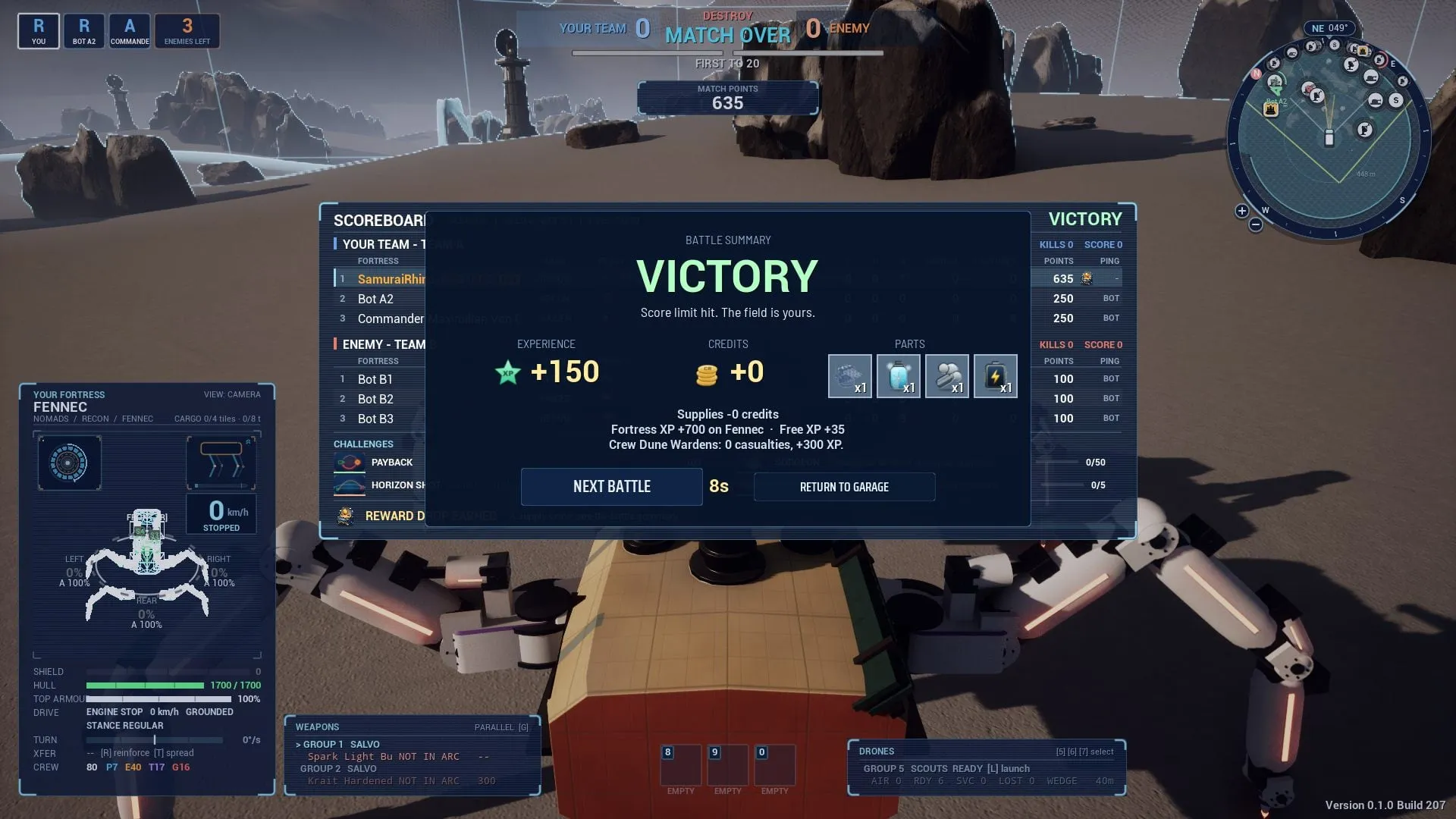
- One end-of-battle popup with your result, the scoreboard and what you earned. Next Battle works online too.
In the garage: your builds and weight
VS 1.6 changes how you build, so it’s worth knowing before you open an old save:
- Ammunition has weight, and the weight limit is now exact. A build that used to sit right at the limit may now read as over. Trim some ammo storage or swap a gun.
- Weapon slots are sized by tier. Lower-tier fortresses carry lighter guns and higher tiers carry heavier ones, so climbing the tree changes what you can fit, not just the numbers.
Coming next: in testing now
The next update is being tested now. Everything here is working in the development build, but details can still change before it ships.
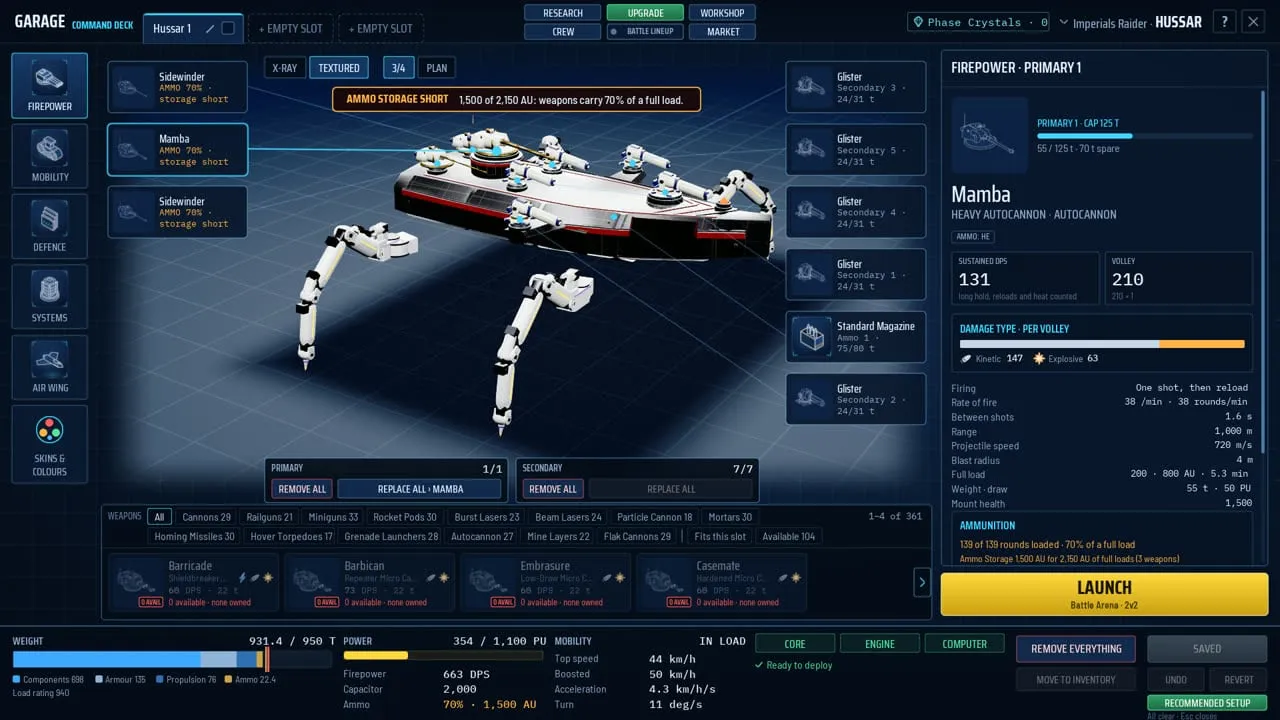
- Turn your fortress in the garage. Hold the left mouse button on your fortress and drag to spin it round. Double-click (or press Home) to put it back. On a gamepad, use the right stick.
- Choose a mode for Multiplayer. An arrow next to the Multiplayer button lets you pick Any mode, Deathmatch, Capture or Base Assault. Each option shows how many people are playing it right now.
- Colour-coded target locks. The lock border shows whether a target is an enemy, an ally or neutral. Each type also has its own corner shape, so you can tell them apart without relying on colour.
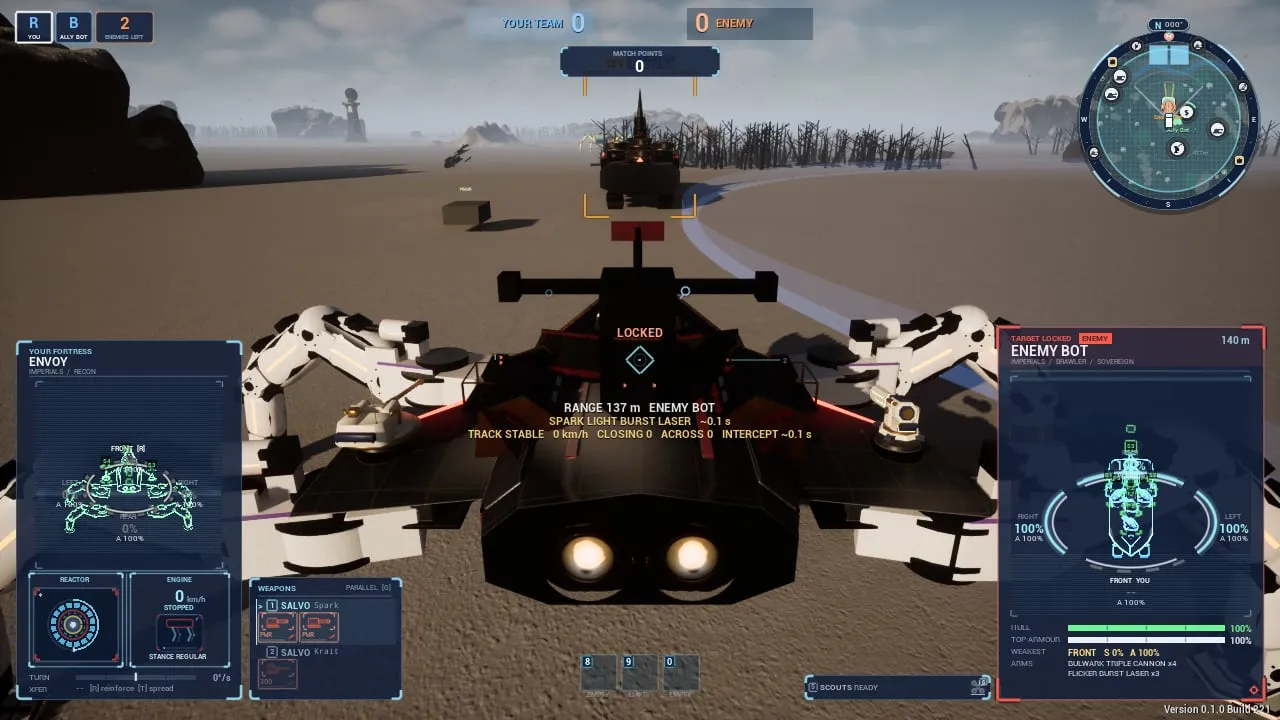
- Spectate your team. If you’re knocked out, you can follow your teammates’ cameras instead of staring at a wreck.
- A network panel. Press F6 in battle to see online servers, players, your ping and your FPS. A small strip on the main menu shows the same thing.
- Mine Drops. Mines move out of the weapon slots and become a consumable. Press N to lay a small field in the pattern you picked in the garage. If you own Mine Layers, they’ll be exchanged for Mine Drops plus credits.
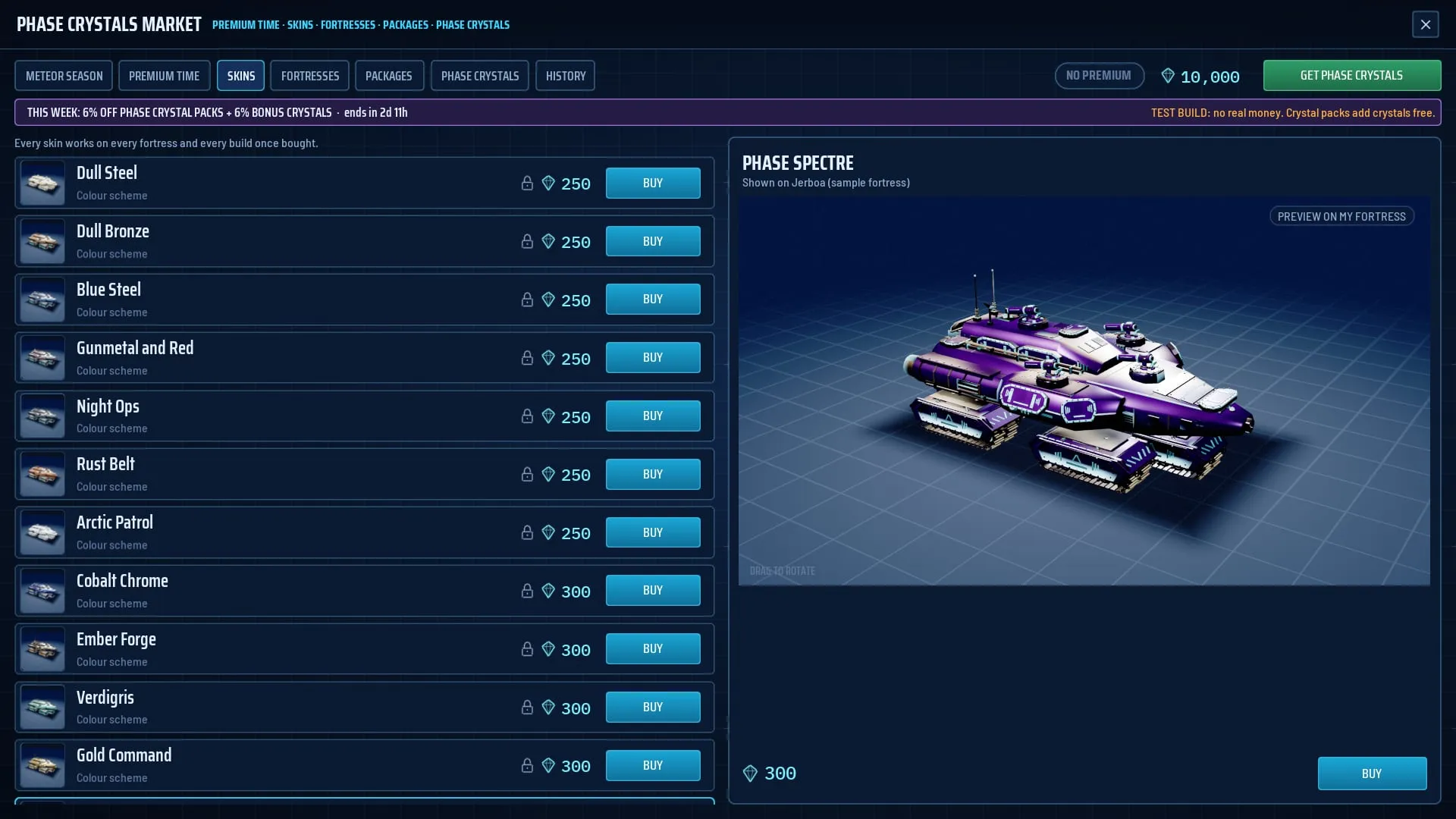
The Phase Crystals Market. A new screen on the main menu sells premium time, skins, premium fortresses and bundles for Phase Crystals. To be clear: Phase Crystals are in-game currency only. There’s no real money, no store and no payment of any kind in the game. Every new profile starts with 10,000, and every price is a placeholder while we test. You can preview a skin on a sample fortress or on your own, and open any fortress for a close look at its weapon slots and mobility before you buy.
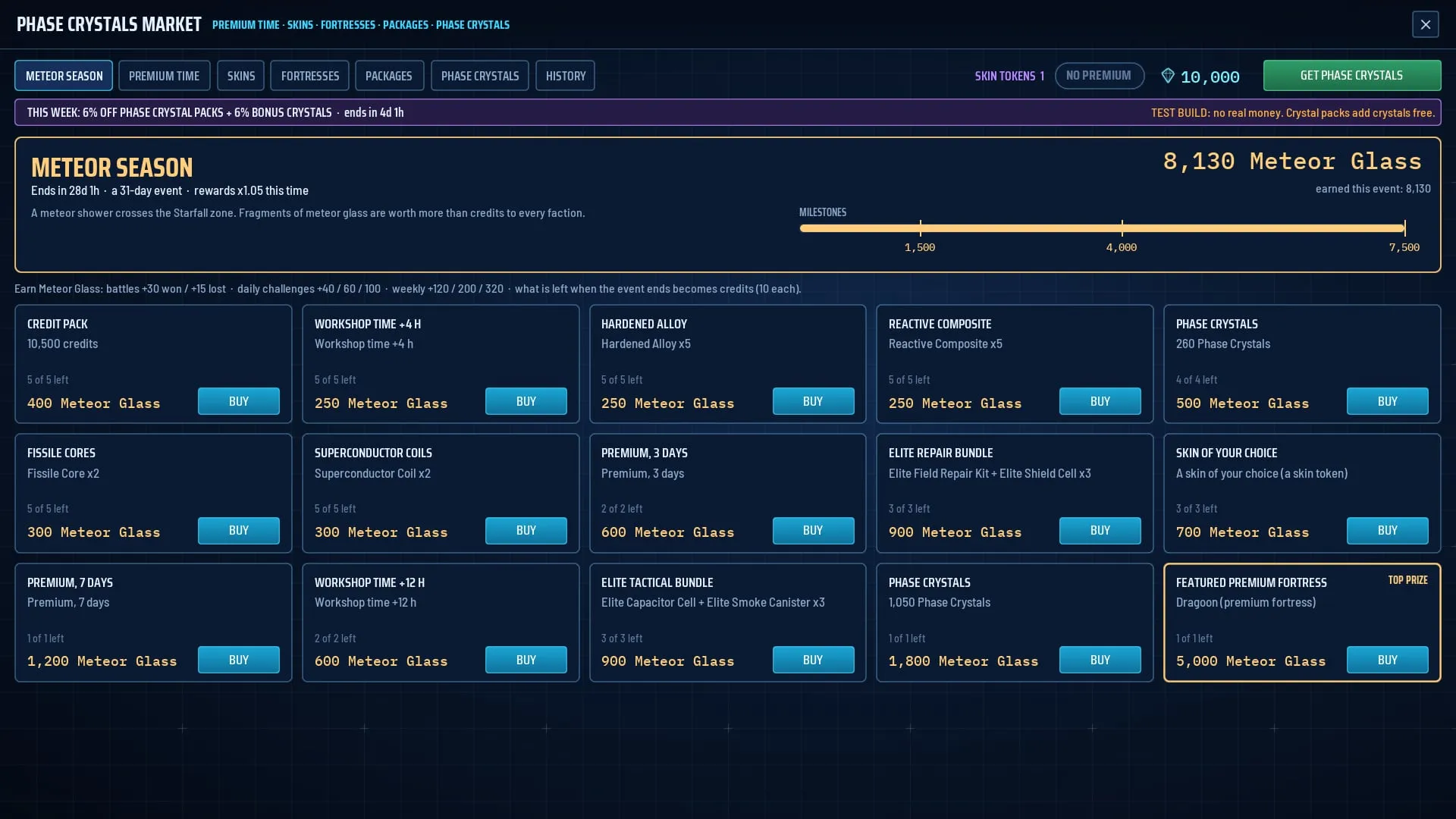
Events. Meteor Season and Hive Incursion will take turns, each running for about a month. You earn event currency from battles and daily or weekly challenges, then spend it in the event shop. It has milestone rewards, a featured fortress and elite versions of the standard consumables. The shop and calendar are built. The event battles themselves (meteors, Hive co-op) come later.
Further out: the open world
The open world is still in development and isn’t in the downloadable builds yet, but here’s what it’s growing into:
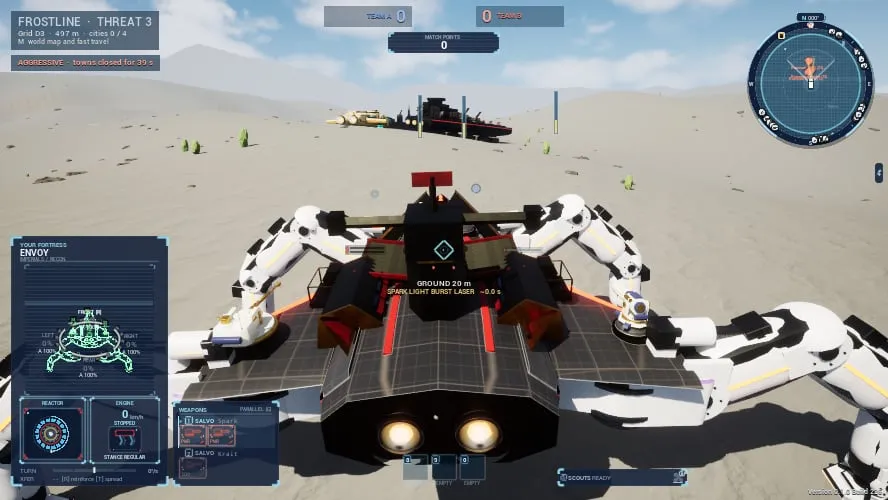
- Faction regions. The map is split into home territories such as the Frostline, the Ashlands, the Mire and Dustreach. Each one is mostly patrolled by one faction, with mixed borders between them, and each has its own threat level.
- Defended capitals. Faction capitals ring themselves with defence guns. Provoke a city (or ride in on Faction Warfare) and the guns open up. The town closes its doors to you for a while afterwards.
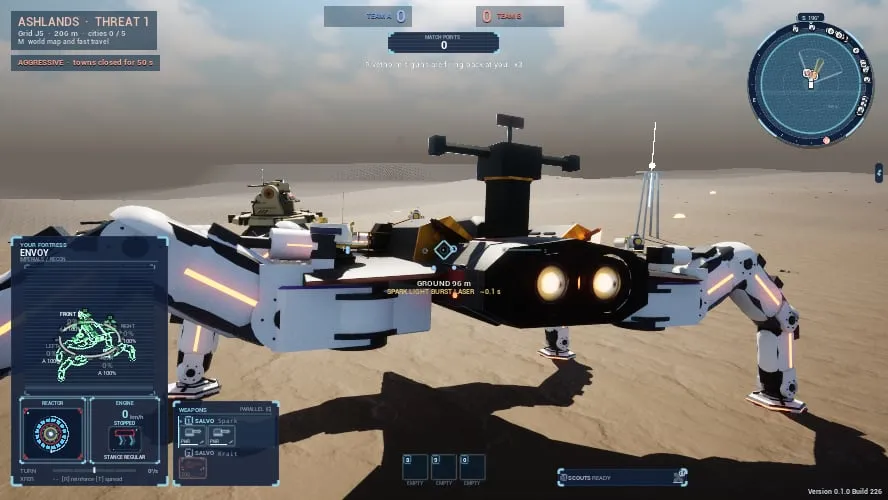
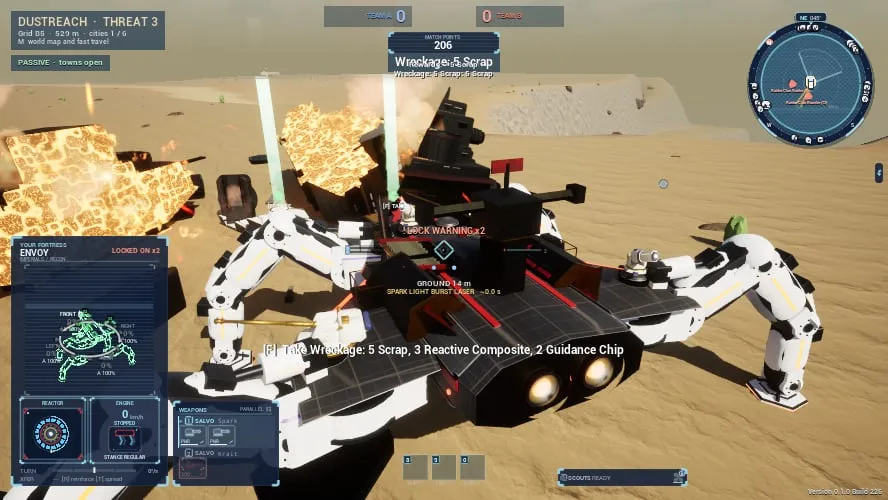
- Salvage. Fortresses destroyed out in the wilds drop wreckage. It glows from a distance and gets a marker on your HUD and minimap. Drive within about 40 metres to pick it up.
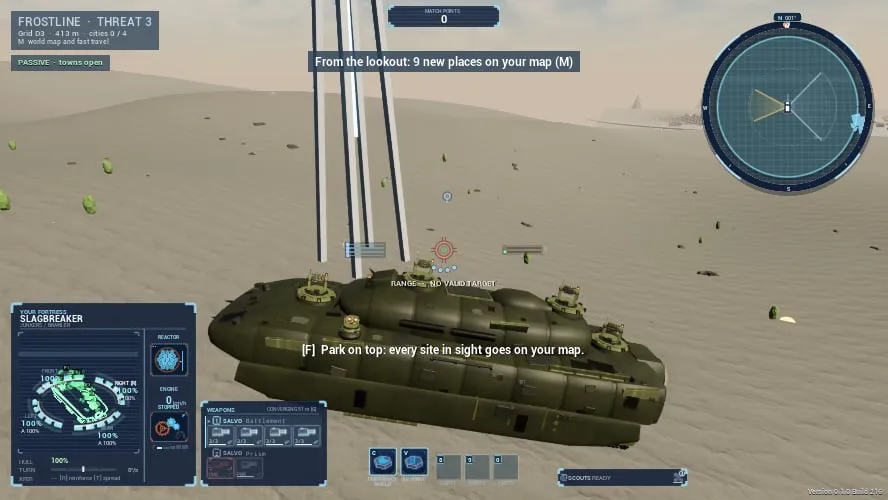
- Sites to find. Climb a lookout and every site in sight goes on your map. Then hack sealed bunkers, race other players to parachute drops, blow up fuel depots and clear out warlord camps.
Known issues right now (VS 1.6)
- Balance is still a first pass, and many numbers are placeholders.
- Online matches are Deathmatch only for now.
- It’s a Shipping build, so there’s no console and no log files. If something goes wrong, tell us on Discord what you were doing when it happened.
Get it and tell us what you think
Grab VS 1.6 from the Downloads page, or install the Double Edge Gaming launcher and it’ll keep you up to date automatically. Then jump into the Discord to find people to play with and to tell us what’s working and what isn’t. Online playtests are much better with a full lobby.
See you on the battlefield, Commanders.
Work in progress. All items, models and imagery are subject to change and may not represent the final product.Disclaimer